
 微信小程序订阅消息
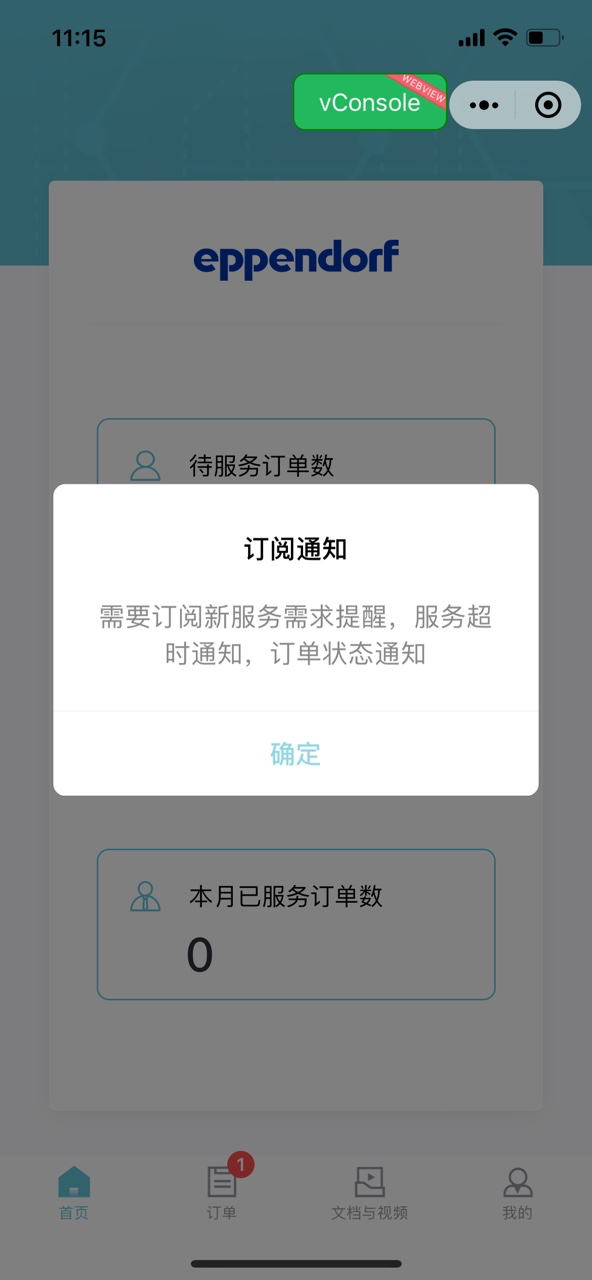
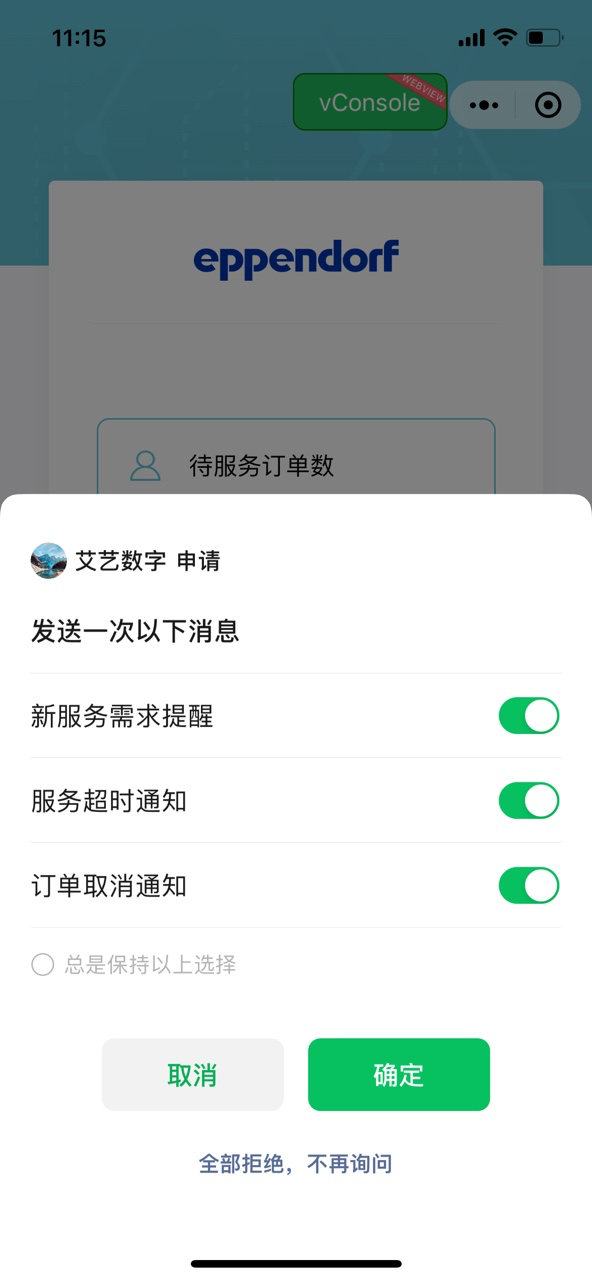
# 效果图
# 注意事项
- 必须有用户主动点击行为,不能放在延时器或者
wx.login里面调用(微信说支付回调也可以调用,等待测试) - 一次授权调用里,每个tmplId对应的模板标题不能存在相同的,若出现相同的,只保留一个
- 一次调用,最多可以订阅三条消息
- 接口是根据openid来给用户发订阅消息的,因此必须要用户调用
wx.login给code给接口,接口通过code拿到openid
- 用户勾选了总是,授权弹框下次不弹出,但是每次订阅,必须调用
wx.requestSubscribeMessage
# 业务主代码 uniapp
# 示例需求
用户每次打开首页就必须弹授权,六个,从别的页面过来不需要弹
# 示例需求注意事项
注意,this.subscribeMessage()必须放在延时器中调用,不然,获取到的路由参数是上个页面的,不是当前页面的
# 代码示例
		methods:{
			subscribeMessage(){
				let routes = getCurrentPages(); // 获取当前打开过的页面路由数组
				console.log('app.vue里面的参数',routes)
				if (routes.length > 0) {
					console.log('获取当前路由信息', routes[routes.length - 1].route)
					if (routes[routes.length - 1].route == 'pages/index/index' && uni.getStorageSync('userType') == 2) {
						let tmpIdArr = ['Ss7eD2I2AghLQbUx5BdvAiEQi3xafNgI5sPzM_HT_aE',
							'3qcGgSqJuty-G0eM4vcNeKx4Cj5cBuXJti4DiiFwRyQ',
							'Wn1qtha1i_adEv9bwtrVYXJ-ZxP6p4_c5FSgnBX9JaQ'
						] // 新服务需求提醒,服务超时通知,订单状态通知
						let tmpIdArr2 = ['q_m8ZPRoPVBA1-IR8K0a8WcLUXnHwtdZe0WDw4ESL8o', ] // 服务评价结果通知
						uni.showModal({ //在回调里面使用showModel弹框调起第二个订阅界面
							title:'订阅通知',
							content: '需要订阅新服务需求提醒,服务超时通知,订单状态通知',
							confirmColor: '#93D6E5',
							showCancel: false,
							success: res => {
								uni.requestSubscribeMessage({
									tmplIds: tmpIdArr,
									success(res) {
										console.log('订阅成功', res)
									},
									fail(res) {
										console.log('订阅失败', res)
									},
									complete(res) {
										uni.showModal({ //在回调里面使用showModel弹框调起第二个订阅界面
											title:'订阅通知',
											content: '还需订阅服务评价结果通知',
											confirmColor: '#93D6E5',
											showCancel: false,
											success: res => {
												uni.requestSubscribeMessage({
													tmplIds: tmpIdArr2,
													success(res) {
														console.log('订阅成功', res)
													},
													fail(res) {
														console.log('订阅失败', res)
													},
												})
											}
										})
									}
								})
							}
						})
					}
				}
			}
		},
		onShow: function() {
			setTimeout(()=>{
				this.subscribeMessage()
			},0)
		},
1
2
3
4
5
6
7
8
9
10
11
12
13
14
15
16
17
18
19
20
21
22
23
24
25
26
27
28
29
30
31
32
33
34
35
36
37
38
39
40
41
42
43
44
45
46
47
48
49
50
51
52
53
54
55
56
57
2
3
4
5
6
7
8
9
10
11
12
13
14
15
16
17
18
19
20
21
22
23
24
25
26
27
28
29
30
31
32
33
34
35
36
37
38
39
40
41
42
43
44
45
46
47
48
49
50
51
52
53
54
55
56
57
上次更新: 2023/07/04, 11:42:38