
 微信小程序在指定距离范围内签到
# 1.需要获取当前位置的经纬度
manifest 文件添加
        "permission" : {
            "scope.userLocation" : {
                "desc" : "用户在需要获取当前经纬度位置在特定范围内签到"
            }
        },
1
2
3
4
5
2
3
4
5
# 2. 小程序管理后台开通位置权限
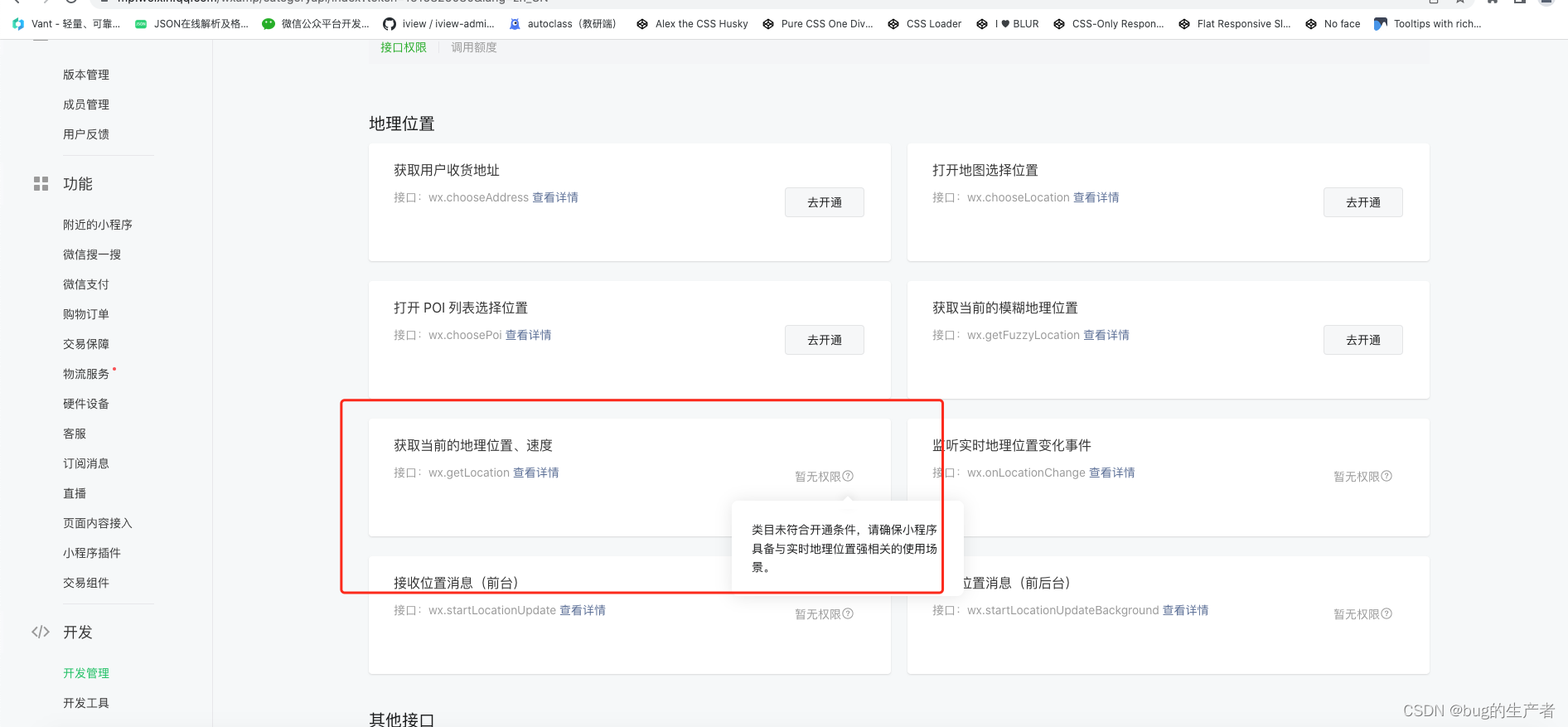
# 3. 检查并提醒用户开启定位授权
			// 授权地理位置函数
			getUserLocation() {
				let that = this
				uni.getLocation({
					type: 'gcj02',
					success(res) {
						that.latitude = res.latitude
						that.longitude = res.longitude
						that.showModal = true
					},
					fail(res) {
						console.log('用户拒绝授权地理位置', res)
						uni.showModal({
							title: '提醒',
							showCancel: true, // 不展示取消按钮
							content: '您拒绝了位置授权,将无法使用签到功能,点击确定重新获取授权',
							success(res) {
								//如果点击确定
								if (res.confirm) {
									uni.openSetting({
										success(res) {
											//如果同意了位置授权则userLocation=true
											if (res.authSetting["scope.userLocation"]) {

											}
										}
									})
								}
							},
							fail() {

							}
						})
					}
				})
			},
1
2
3
4
5
6
7
8
9
10
11
12
13
14
15
16
17
18
19
20
21
22
23
24
25
26
27
28
29
30
31
32
33
34
35
36
2
3
4
5
6
7
8
9
10
11
12
13
14
15
16
17
18
19
20
21
22
23
24
25
26
27
28
29
30
31
32
33
34
35
36
# 4. 判断代码
			getDistances(lat1, lng1, lat2, lng2) {
				var radLat1 = this.rad(lat1);
				var radLat2 = this.rad(lat2);
				var a = radLat1 - radLat2;
				var b = this.rad(lng1) - this.rad(lng2);
				var s = 2 * Math.asin(Math.sqrt(Math.pow(Math.sin(a / 2), 2) +
					Math.cos(radLat1) * Math.cos(radLat2) * Math.pow(Math.sin(b / 2), 2)));
				s = s * 6378.137; // EARTH_RADIUS;
				// 输出为公里
				s = Math.round(s * 10000) / 10000;

				var distance = s;
				var distance_str = "";

				if (parseInt(distance) >= 1) {
					distance_str = distance.toFixed(2) + "km";
				} else {
					distance_str = (distance * 1000).toFixed(2) + "m";
				}
				//小小修改,这里返回对象
				let objData = {
					distance: distance,
					distance_str: distance_str
				}
				return objData
			},
      let judgeDistance = this.getDistances(this.latitude, this.longitude, this.courseDetail.latitude, this
        .courseDetail.longitude).distance // 获得的公里数
      let distanceMetre = (judgeDistance * 1000).toFixed(2)
      if (Number(distanceMetre) > this.courseDetail.signRange) {
        uni.showToast({
          title: '您不在签到的范围内',
          icon: 'none',
          duration: 2000
        })
      }
1
2
3
4
5
6
7
8
9
10
11
12
13
14
15
16
17
18
19
20
21
22
23
24
25
26
27
28
29
30
31
32
33
34
35
36
2
3
4
5
6
7
8
9
10
11
12
13
14
15
16
17
18
19
20
21
22
23
24
25
26
27
28
29
30
31
32
33
34
35
36
上次更新: 2023/07/04, 15:58:30